1Password Plugin for Quicksilver

March 22nd, 2010 § 3 comments

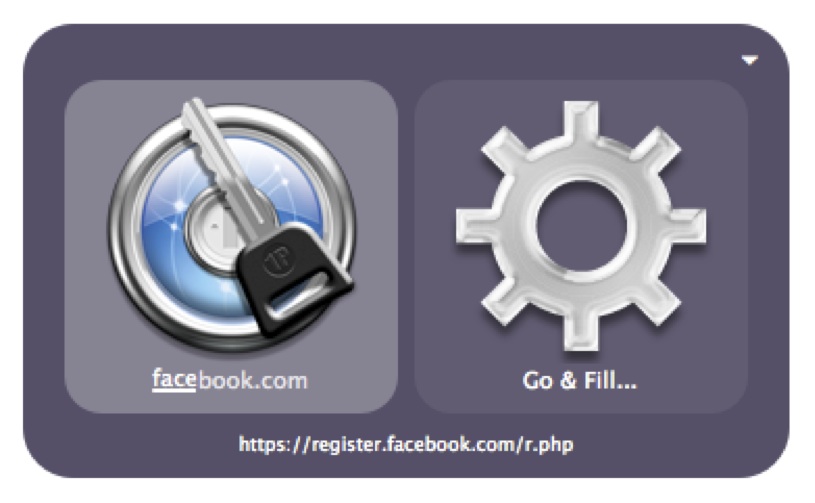
I’ve recently developed a 1Password plugin for Quicksilver that gives you the ability to open up Go & Fill items in 1Password, as well as giving you an action to ‘Go & Fill…’ directly from Quicksilver.

Go And Fill Action

To download this plugin, go over to my Github repository.

If you like the plugin then please do donate to the project – but note that this isn’t for the work I’ve done on Quicksilver itself, just the 1Password plugin.

If there’s something missing from the plugin, or you’ve found a bug then let me know – although do read the README first over at Github.

Donate to Quicksilver 1Password Plugin

Tagged 1Password, mac, os x, quicksilver, script, snow leopard

§ 3 Responses to 1Password Plugin for Quicksilver"

  • Dave says:
    December 12, 2010 at 5:38 am

    Well I knew it needed to be something obvious but I’ve spent over two hours trying to figure it out.
    I couldn’t figure out how to install the 1password plugin after downloading it. Tried clicking on Bitversion, looking in the JSON and build folders to see if there was an installer in either of them. Read the readme file, Read through all the messages on google groups about the plugin, etc, and nada.
    The problem as it turns out, is that I wasn’t paying attention (on a few occasions, as I tried re-downloading a few times) when downloading the plugin from github. I was downloading the download.zip file as that was the most prominent download box, so the assumption was that that was the most up to date version of the software, typical of other program download hubs.
    It’s only when I clicked on another download link to the plugin from another site, and was not given the download.zip file option, that I opted to download version 1.0 of the plugin knowing it was the latest version. Naturally version 1.0 installed as expected, and 1password plugin showed up in the plugins directory as expected.

    I just wanted to make a note of this, just in case anyone else finds themselves in the same situation. As I’ve had other plugins where I had to manually put the folder or files in their corresponding areas, so I though maybe I just needed to get up to speed on how to properly install plugins in quicksilver (since I just started using quicksilver yesterday), or that maybe the reason it wasn’t installing properly was because I had my 1password agile file inside of dropbox. As it turns out, I had just downloaded the source file instead of the latest package file.

    Thanks for the plugin.
    Dave

  • Patrick says:
    June 1, 2010 at 6:06 pm

    You’re welcome Adam!

    Thanks for the kind words, and the donation of course :)

    Those thoughts were my thoughts exactly – why can’t Quicksilver and 1Password be married together!?
    A few months and many hours later I’ve managed to make something to do just that :)

    There may be some more features coming soon, so keep an eye out ;)

    It’s Sydney university that I’ll be spending a year at, so we may just bump into each other!

  • Adam says:
    June 1, 2010 at 3:29 pm

    Patrick, this is an unbelievable godsend to me, you have no idea. 1password is one of those rare times when I can’t quicksilver my way to something I want to access and one of the main causes of me reaching for the mouse. Delighted that somebody had the skills to get this up and let the rest of us benefit – sincere thanks. And have an awesome time in Aus, go nuts – you’ll love it.
    Cheers
    Adam (Sydney)

Leave a Reply Cancel reply

Your email address will not be published. Required fields are marked *

*

*

You may use these HTML tags and attributes: <a href="" title=""> <abbr title=""> <acronym title=""> <b> <blockquote cite=""> <cite> <code> <del datetime=""> <em> <i> <q cite=""> <strike> <strong>

What's this?

You are currently reading 1Password Plugin for Quicksilver at Web Design.

meta

  • Author: Patrick
  • Comments: 3 Comments
  • Categories: Apps, Mac OS X

  • Pages

    • About Patrick Robertson
    • Bits & Bobs
    • Designing the World
    • Tags
    • Websites
  • Categories

    • Apps (5)
    • Holidays (1)
    • Mac OS X (8)
    • SEO (2)
    • Uncategorized (1)
    • Web Design (4)

© Patrick Robertson 2012

Powered by WordPress